前言
这个博客用于介绍我在开发的过程中遇到的各种问题与技巧,命令等,对我比较有帮助的,这个贴子将会持续更新
一、git命令
1
| git remote add origin XXX
|
1
| git add .(git add --all)
|
要是不行就:
1
| git pull origin main(进行拉取后提交)
|
无法connect时:
1
| git config --global --unset http.proxy
|
1
| git config --global http.proxy http:
|
二、小智命令
1.初始
1
| cd D:\shen\xiaozhi-esp32
|
1
| idf.py set-target esp32s3
|
若要打包(只能用powershell)
若直接编译(可用VS)
1
| idf.py build flash monitor
|
也可直接在VS中点击进行烧录
2.MCP服务
1
| export MCP_ENDPOINT=<your_mcp_endpoint>
|
1
| python mcp_pipe.py calculator.py
|
自己的MCP设置
1
2
3
4
5
6
7
8
9
10
11
12
| from mcp.server.fastmcp import FastMCP
mcp = FastMCP("YourToolName")
@mcp.tool()
def your_tool(parameter: str) -> dict:
"""Tool description here"""
return {"success": True, "result": result}
if __name__ == "__main__":
mcp.run(transport="stdio")
|
三、pip虚拟环境
1.venv
如果没有 venv 模块,先装
sudo apt update
sudo apt install -y python3-venv
创建并启用虚拟环境
python3 -m venv .venv
source .venv/bin/activate
升级 pip 再装依赖
pip install –upgrade pip
pip install -r requirements.txt
2.conda
conda create -n name python=3.xx
conda activate name
conda env list
四、ubuntu网络设置
1
2
3
| sudo service NetworkManager stop
sudo rm /var/lib/NetworkManager/NetworkManager.state
sudo service NetworkManager start
|
五、声音出问题
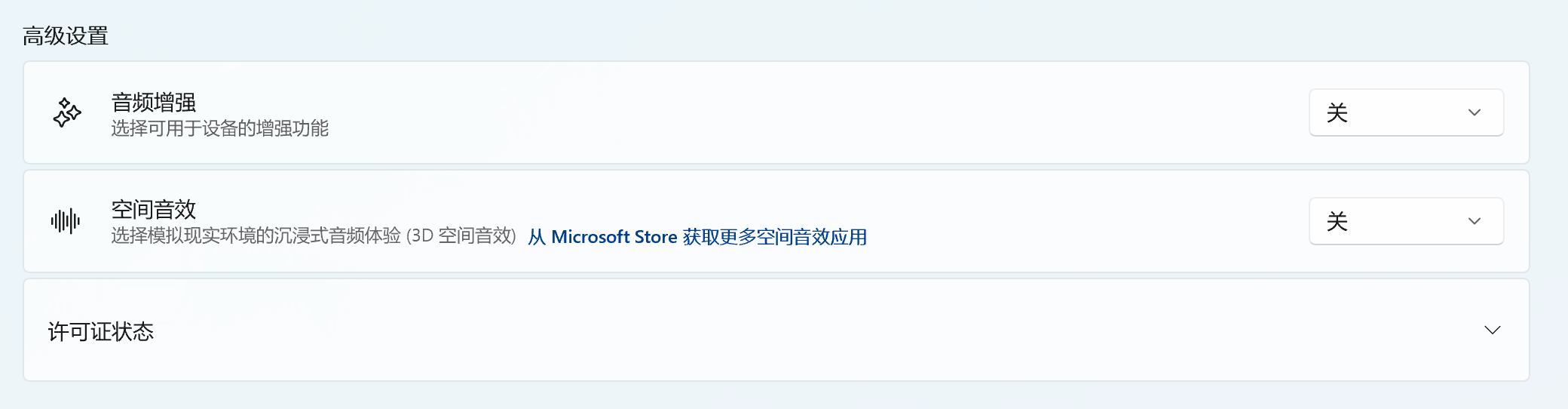
关闭音频增强: